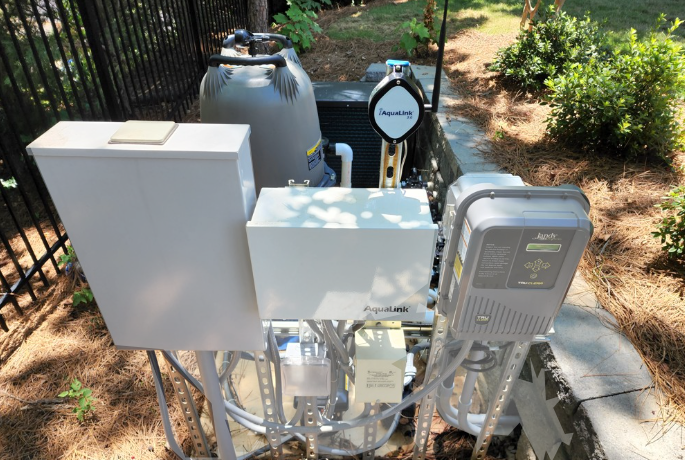
Pool Automation System Repair
Timers, Relays, Actuator Valves, Sensors, and Why Automa on Fails in Real Pools
A pool automation system is meant to simplify pool ownership. It controls pump run schedules, heater operation, chlorinator output, valve actuator posi ons, lighting, and somemes water features. When it works, circula on is consistent, water temperature is stable, and chemical generation stays predictable. When it fails, the pool can quickly become unstable because the pump may not run on schedule, heaters may lock out, chlorinators may stop producing, and valve actuators may divert water incorrectly. Most automation problems are not mysterious. They usually come from power supply issues, timer programming errors, relay failure, actuator faults, or sensor problems.
This guide explains common pool automation symptoms, the components that fail most often, and the repair approach that restores reliable operation without guessing.
Automation failure symptoms: pump schedule errors and equipment not turning on
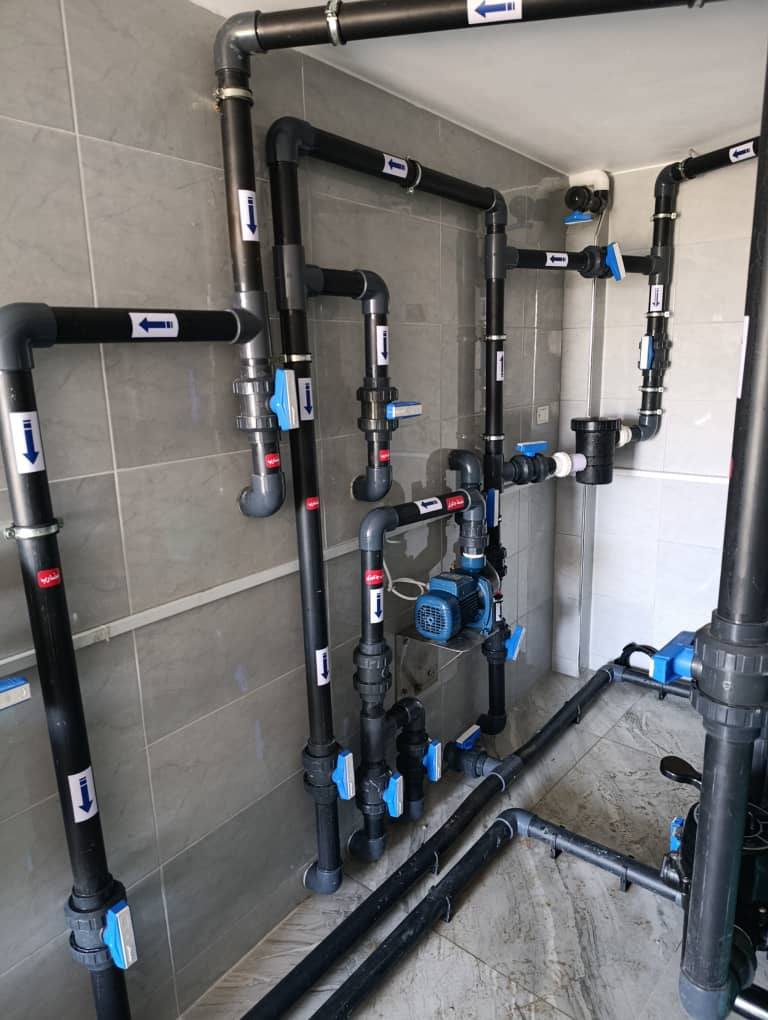
Automation problems often show up as the pump not turning on at the programmed me, the pump running at the wrong mes, or the pump running con nuously. You may also see the heater refusing to turn on even though the pool is cold, the chlorinator showing no flow because the pump is not running, or pool lights failing to respond to the controller. In systems with a mobile app, the app may show the device offline or may not reflect real equipment status.
The first step is to determine whether the automation is not sending commands or whether it is sending commands but the equipment is not responding. That distinction separates programmingand control problems from wiring and hardware failure.
Power supply and breaker checks for automa on panels
Automation panels depend on stable electrical supply. A tripped breaker, a blown fuse, or a loose neutral can cause partial system failure where some equipment works and others do not. Because automa on panels o en feed multiple circuits, one failed breaker can stop the pump while the controller screen still lights up.
Check breakers and isolators first. Look for signs of heat damage at terminals and for corrosion inside enclosures, especially in humid environments. Automation failures often begin with intermitient power issues before they become complete failure, so flickering displays, random resets, and me drift are important clues.
Timer programming, clock drift , and schedule setup problems
Many automation issues are simply incorrect programming. If the internal clock is wrong, the pump schedule will run at the wrong me. If schedules overlap, the system may behave unpredictably. If the controller is set to service mode, manual mode, or freeze protection mode, schedules may be overridden.
Clock drift can also happen after power interruptions. Some systems retain me, others reset. If your pump started running at strange hours after load shedding or power outages, me se ngs and schedule re entry are the first fix.
A proper repair step is to confirm the time, confirm each schedule, confirm pump speed settings if variable speed control is included, and confirm which circuits are assigned to which schedules.
Relay and contactor failure: pump not switching on despite commands
Relays are the switching devices inside automation panels that turn equipment on and off. When a relay fails, the controller may show that the pump is on, but the pump receives no power. Relay failure can be caused by arcing, heat, and age. Signs include clicking sounds without equipment starting, burnt smell inside the panel, or visible charring near relay terminals.
Contactors are used in some systems for higher current loads. A failing contactor can chatter, stick, or fail to close fully. This can cause intermittent pump operation and heat buildup.
Relay diagnosis is electrical work and should be done safely. The key practical clue is this. If the controller indicates on, but the equipment remains off, switching hardware becomes a prime suspect.
Actuator valve problems: stuck valves and wrong water routing
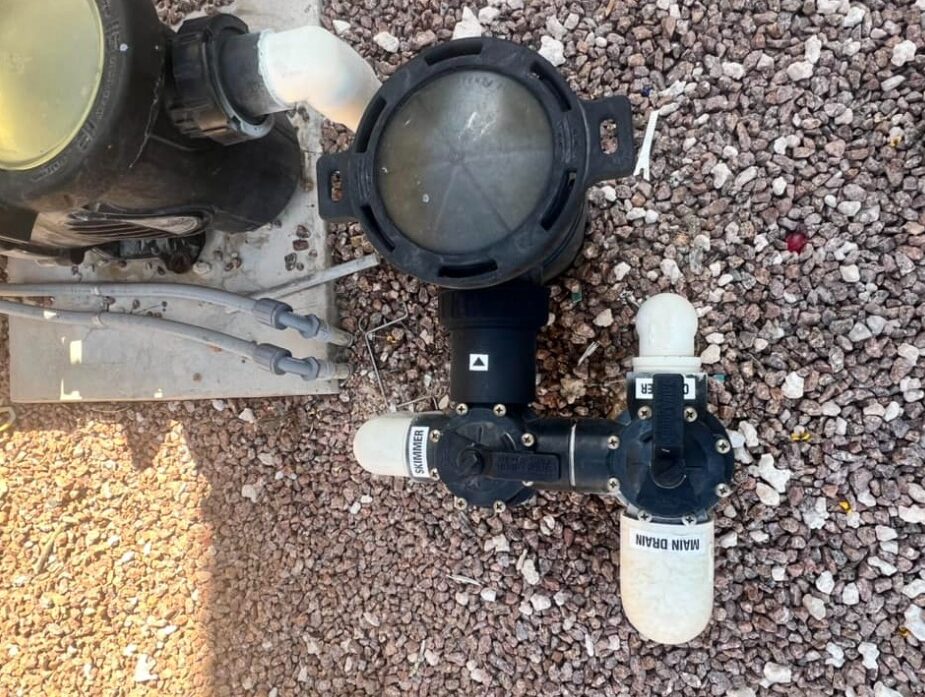
Valve actuators rotate diverter valves to route water for functions such as pool versus spa mode, solar heating activa on, water features, and cleaner lines. When actuators fail, water can be routed incorrectly, which creates symptoms like weak return jets, heater low flow faults, or solar not heating even though the controller shows it is active.
Actuator issues include stripped gears, worn limit switches, jammed valve diverters, and incorrect actuator orienta on a er installa on. A faulty actuator may buzz, move parttially, or stop at the wrong posi on. If the valve is physically stiff due to debris or a worn diverter seal, the actuator may fail early because it is fighting resistance.
Repair often involves confirming valve turns smoothly by hand with the pump off, then checking actuator function and limit settings. Somemes replacing the actuator is necessary. Somemes the valve diverter itself is the real problem.
Sensor faults: water temperature, air temperature, and flow switches
Automation systems rely on sensors to make decisions. Water temperature sensors inform heater control. Air temperature sensors inform heat pump and freeze protec on logic. Flow switches confirm circulation. If a sensor reads incorrectly, the system can behave in ways that feel irrational. A heater may not turn on because the sensor thinks water is already warm. A solar system may not activate because the controller believes conditions are unsuitable. A chlorinator may shut down due to false low flow readings.
Sensor faults are often caused by corrosion, water ingress, damaged cables, or aging probes. Diagnosis involves comparing sensor readings to independent measurements such as a thermometer, and inspecting sensor wiring and connectors for damage.
Communication and app connectivity issues
Many modern automation systems include network connectivity. If the controller loses WiFi or network connec on, the app may stop controlling the pool, but the automa on panel may s ll run local schedules. Some owners think the system has failed when the issue is only connectivity. In other cases, firmware issues or failed network modules can cause offline behaviour.
The practical approach is to test local control at the panel first. If the panel can control equipment manually but the app cannot, the issue is likely connectivity rather than hardware switching. If neither can control equipment, the issue is within power, relays, or wiring.
Wiring faults and corrosion in outdoor enclosures
Outdoor panels are exposed to heat, moisture, insects, and corrosion. Loose terminals create heatand intermi ent failures. Corrosion on connectors creates resistance and signal errors. Insects can nest inside panels and damage wiring.
A repair focused approach includes inspecting the panel interior, checking for moisture ingress, ensuring cable glands are sealed, and ghtening terminals. Electrical safety matters here. If there is visible water damage, power should remain off until the system is inspected.
A practical pool automation troubleshooting order
Start with power, breakers, and panel status. Confirm me and schedules. Confirm the system is not in service mode. Then test manual control of each circuit. If the controller indicates on but equipment stays off, suspect relays or contactors. If equipment runs but water rou ng is wrong, suspect actuator valves and diverter s ffness. If the system makes incorrect decisions, suspect sensors and validate readings. If only app control fails, focus on connec vity and network modules.
This order prevents unnecessary replacement and usually iden fies the fault quickly.
Pool automation systems fail most o en due to power interruptions, schedule errors, relay switching failures, actuator valve faults, and sensor problems. Correct repair starts with confirming power and programming, then checking switching hardware, then checking valves and sensors. Once repaired, automation restores consistent pump run time, stable heater control, and predictable chlorina on, which keeps water clearer with less manual effort.
FAQs
1. How much water loss is normal for a pool?
About 1/4 to 1/2 inch per day from evaporation is normal in warm weather.
2. Can small leaks cause big damage?
Yes. Even a small leak can cause soil erosion, deck damage, and equipment strain over time.
3. How long does leak repair take?
Minor repairs can take a few hours. Major repairs may take several days.
4. Will insurance cover pool leak repairs?
5. How often should I check for leaks?
Get in touch for expert pool care

Need help? we are always here to assist you with expert care
Need Help
+27 10 065 1995
E-mail us
info@poolquest.co.za